
Creating an account should be the simplest part of joining an online casino. At GlitchSpin Casino, however, some Canadian players may encounter registration errors, verification delays, or problems completing the sign-up form. Most issues are temporary or caused by incorrect information, browser settings, location restrictions, or incomplete documents.
This guide explains how to identify and fix common sign-up problems at GlitchSpin Casino. It also covers account verification, responsible registration, payment readiness, and the information players should check before making a deposit.
What to Check Before Registering
Before opening an account, Canadian players should confirm that the casino accepts registrations from their province or territory. Online gambling rules and payment availability can vary across Canada, so access may not be identical everywhere. A stable internet connection and a current browser are also recommended.
Prepare the following details in advance:
- Your legal first and last name
- Date of birth
- Residential address in Canada
- Valid email address and mobile number
- A secure password
- Identity documents, if verification is requested
All registration information should match your official documents. Using a nickname, an old address, or a different date of birth can trigger an automatic review and prevent the account from being activated.
Common GlitchSpin Casino Sign-Up Problems
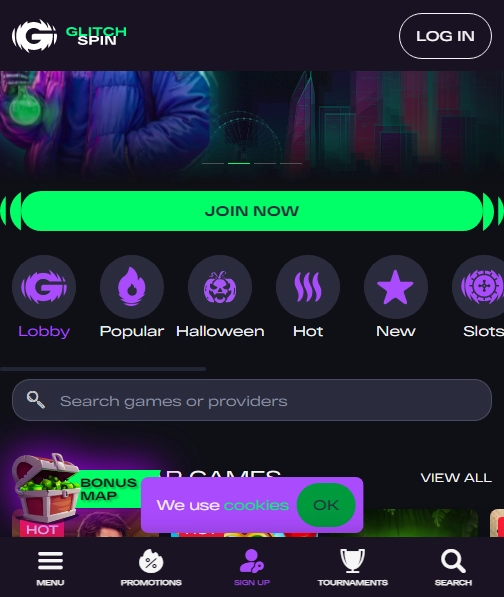
The Registration Page Will Not Load
If the sign-up page remains blank or loads indefinitely, refresh the page and try opening it in a private or incognito window; A browser extension may be blocking scripts required by the registration form. Temporarily disable ad blockers, script blockers, and privacy extensions, then reload the page.
Players should also try another updated browser, such as Chrome, Safari, Firefox, or Edge. Clearing cookies and cached files can help when an old session conflicts with the new registration form. If the problem occurs on a mobile device, switching between Wi-Fi and mobile data may identify whether the connection is responsible.
The Form Rejects My Email Address
An email error usually means the address has already been registered, contains a typing mistake, or is not accepted by the platform. Check for spaces before or after the address and make sure the domain is written correctly.
If you previously created an account, do not open a second one; Use the password-recovery option instead. Duplicate accounts can cause problems with bonuses, withdrawals, and identity checks.
The Verification Code Does Not Arrive
When a confirmation code is sent by email or text message, wait several minutes before requesting another one. Repeated requests may invalidate earlier codes. Check the spam, junk, promotions, and blocked-message folders, and confirm that your phone has adequate reception.
If several codes arrive, use only the most recent code. Players should never share a verification code with another person, including anyone claiming to represent casino support through an unofficial channel.
The Password Is Not Accepted
Registration systems often require a combination of uppercase and lowercase letters, numbers, and special characters. Avoid using your name, birth date, address, or a password used on another website.
A password manager can generate and store a unique password. If the form rejects a valid password, remove extra spaces and type it manually rather than pasting it from another application.
The Site Says My Location Is Unsupported
Location errors may occur when the casino cannot confirm that a player is connecting from an eligible Canadian jurisdiction. Disable any VPN, proxy, or location-spoofing service, since these tools can cause the system to detect an inconsistent location.
Make sure your device location settings and network connection are functioning normally. If you are travelling outside Canada, registration and account access may be restricted until you return to an accepted location.
How to Complete Account Verification
Verification is a standard security procedure designed to confirm identity, age, and residence. It may be requested during registration, before a withdrawal, or after unusual account activity is detected.
Commonly requested documents include:
- A government-issued photo ID, such as a passport or driver’s licence
- Proof of address, such as a recent utility bill or bank statement
- Proof of payment ownership when a card or e-wallet is used
Images should be clear, uncropped, and readable. All corners of an identity document should normally be visible. Do not edit documents or cover information unless the casino specifically explains which details may be concealed.
Use the official secure upload area inside the account. Avoid sending sensitive documents to an unverified email address, social-media account, or private messaging contact. If verification remains pending, check whether the casino has requested an additional document or a clearer image.
Questions and Answers
Can I register more than one account?
Usually, only one personal account is permitted per player. Creating additional accounts may lead to restrictions, cancelled bonuses, or delayed withdrawals. If you cannot access an old account, contact official support rather than registering again.
What should I do if I entered the wrong information?
Do not continue submitting incorrect details. Contact support through the official website and explain exactly which field needs correction. Some minor changes can be made by the player, while changes to identity information may require document verification.
Why is my Canadian address rejected?
Check that the province, postal code, and city are entered in the correct format. Canadian postal codes use alternating letters and numbers, such as A1A 1A1. Avoid entering a business address, postal box, or temporary accommodation if the form asks for your residential address.
Can I register from a mobile phone?
Yes, provided the website supports mobile registration and your browser is updated. Use a reliable connection, keep the registration page open, and avoid switching repeatedly between applications while entering personal information.
Where can I find glitchspin casino RTP details?
Players should review the information displayed on the individual game page or in the casino’s help section. The return-to-player percentage applies to a specific game and does not guarantee an individual result. Rules, volatility, maximum wins, and bonus terms should also be checked before playing.
Registration Bonuses and Promotional Conditions
A welcome offer can make registration attractive, but it should never be the only reason to open an account. Read the complete promotion terms before opting in. Important conditions may include minimum deposits, wagering requirements, eligible games, maximum bet limits, expiry dates, and withdrawal restrictions.
Some bonuses are activated automatically, while others require a code or a separate opt-in button. If a promotion does not appear after registration, do not deposit again immediately. First, confirm that the offer is available to Canadian players in your province and contact support with the promotion name.
Players should also check whether bonus funds and winnings can be withdrawn before identity verification is complete. A casino may require verification even when a player has not yet requested a withdrawal.
When to Contact GlitchSpin Casino Support
Contact support when the registration form repeatedly fails after browser troubleshooting, when an account is locked, or when verification has been pending longer than the stated processing period. Use the contact methods listed on the official website, such as live chat, an official support form, or a verified email address.
Include practical information in your message:
- The email address used during registration
- The date and approximate time of the error
- Your device and browser
- The exact error message
- A screenshot without exposing passwords or payment details
Never send your password, one-time code, or full card number to support. A legitimate representative should not need your complete payment credentials.
Expert Feedback: A Canadian Player’s Experience
Experienced player: “My registration stopped at the address section because I used a postal code without a space. I corrected the format, disabled my VPN, and completed the process. Verification took longer because my utility bill was too old, so I uploaded a newer document through the account page.”
This experience illustrates why accuracy matters. Small formatting differences can prevent automated systems from accepting a form, while outdated proof of address can delay approval.
After Your Account Is Approved
Once the account is active, review the profile information and security settings. Enable two-factor authentication if it is available, and use a password that is not shared with other services. Set deposit, loss, or session limits before playing.
Canadian players should confirm the available payment methods, processing times, fees, and minimum withdrawal amounts. Make a small test deposit only after reading the casino’s banking terms. Keep account activity within an affordable entertainment budget and never chase losses.
If registration remains impossible after all reasonable steps, do not create multiple accounts or use false information to bypass a restriction. Save the relevant error messages, request a clear explanation from official support, and consider whether the platform is suitable for your needs.
Final Verdict
Most GlitchSpin Casino sign-up issues can be resolved by checking the registration details, removing VPNs, updating the browser, clearing cached data, and submitting accurate verification documents. Canadian players should also confirm provincial availability and understand promotional and payment terms before depositing.
A smooth registration is useful, but careful account setup is more important than speed. Accurate personal information, secure login practices, responsible limits, and communication through official support channels provide the best foundation for using an online casino safely.